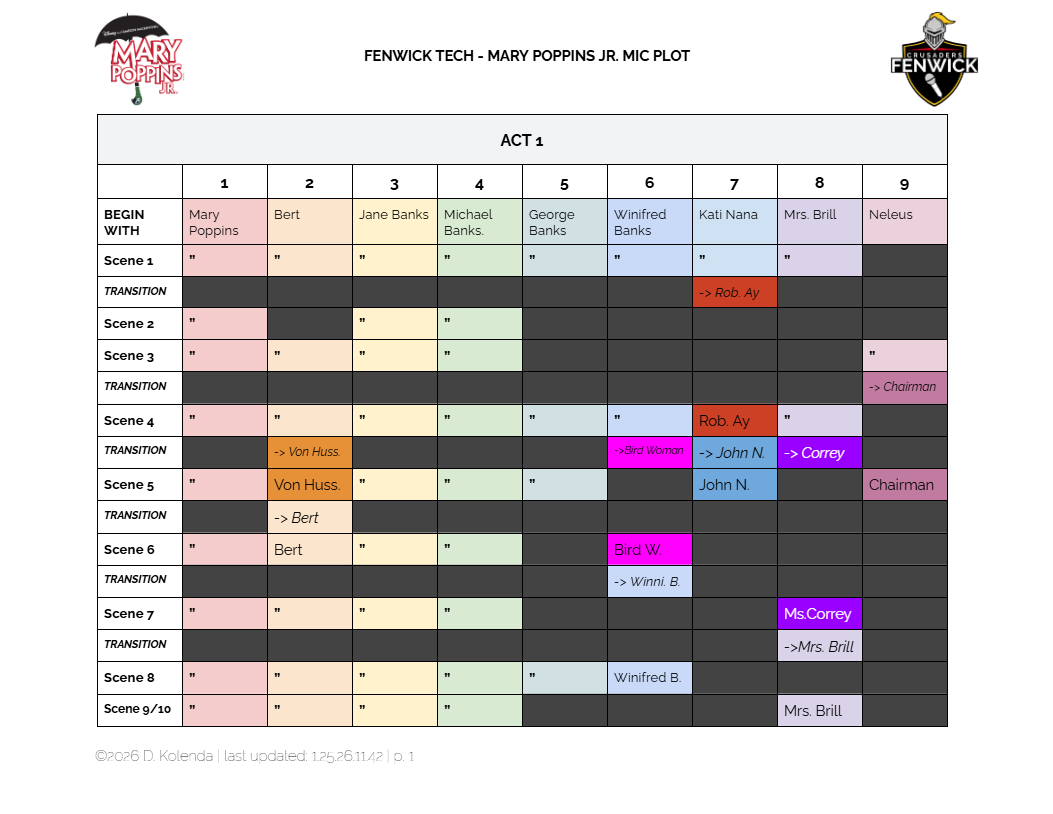
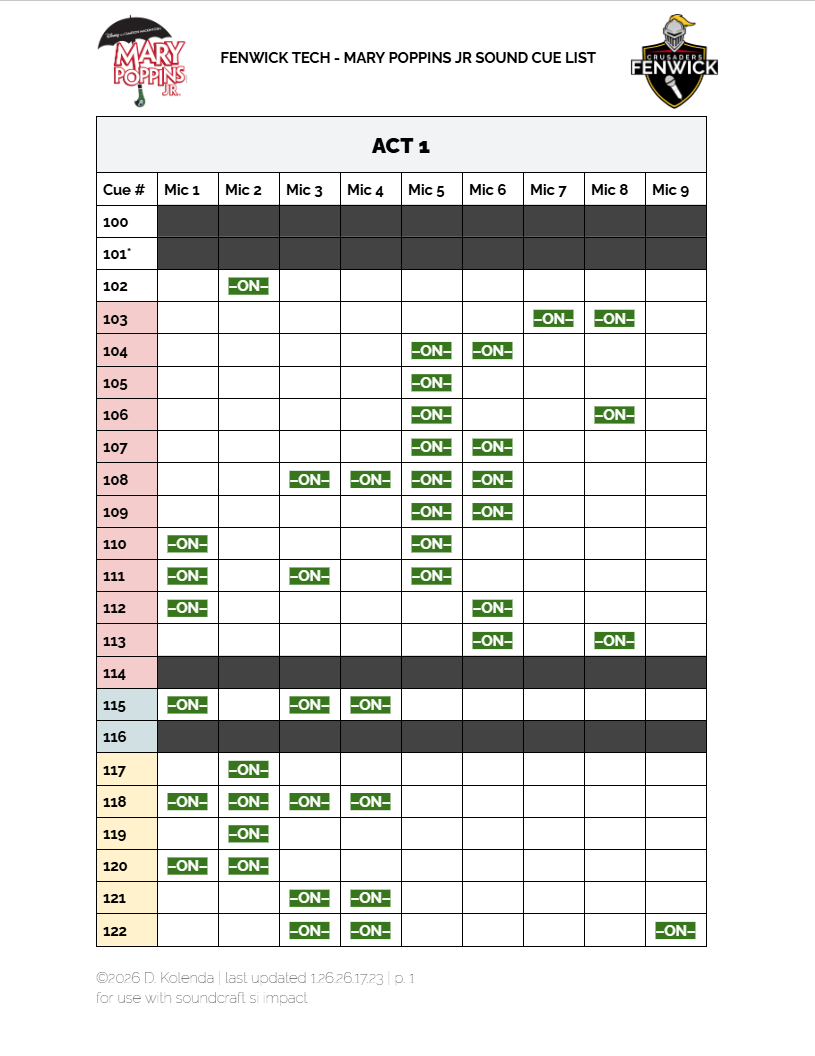
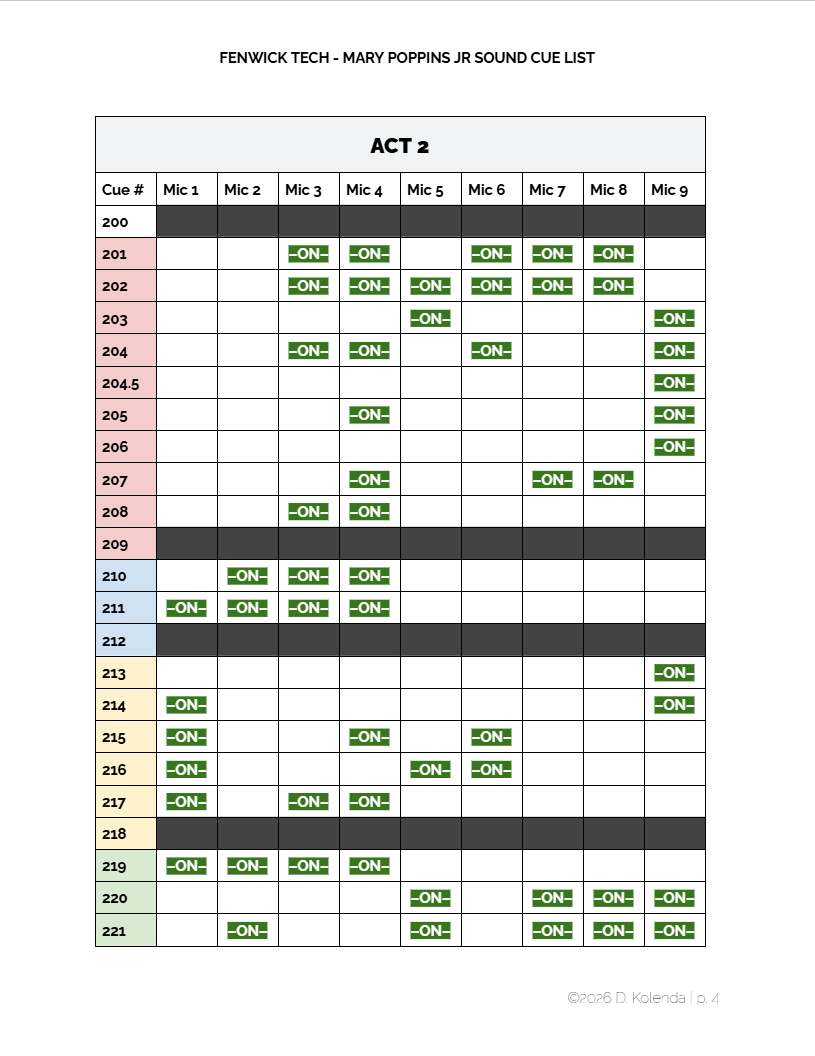
Nine mics were used in this production, and switched between actors. To help, my mic plot was hung backstage to instruct actors/A2s on when to switch mics, so all characters would be miked through the whole show.
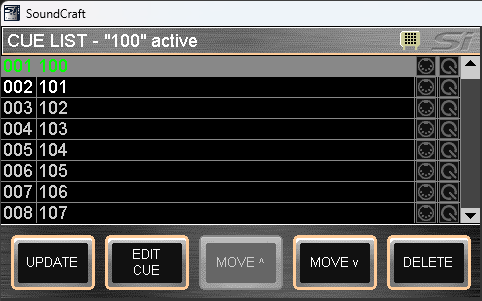
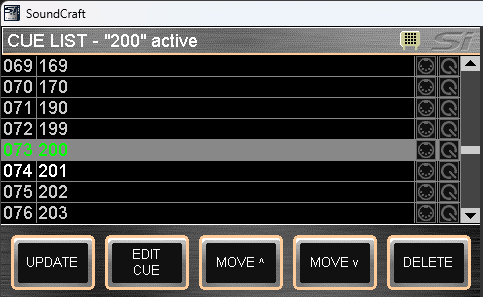
Additionally, these mic changes were incorporated into the show’s cue list (left), so character changes between scenes would be reflected on the soundboard (right).
Mics for top of show (Scene 1)

Mics for a scene with fewer people (Scene 2)

Mics for a sceen with many mic changes (Scene 14)

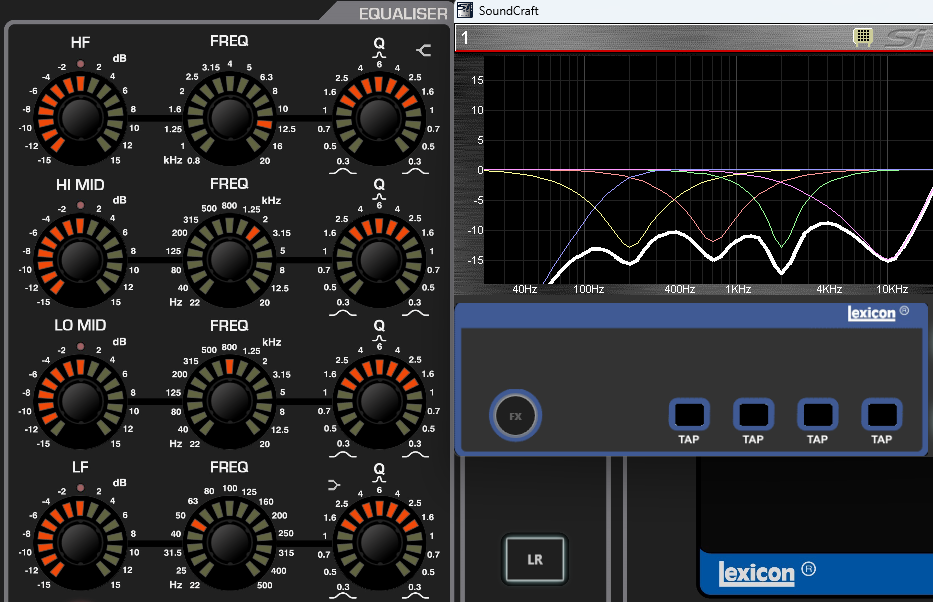
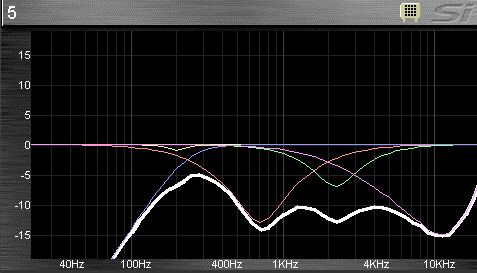
I was also in charge of mixing the show, including EQing all mics. See some EQ curves below.
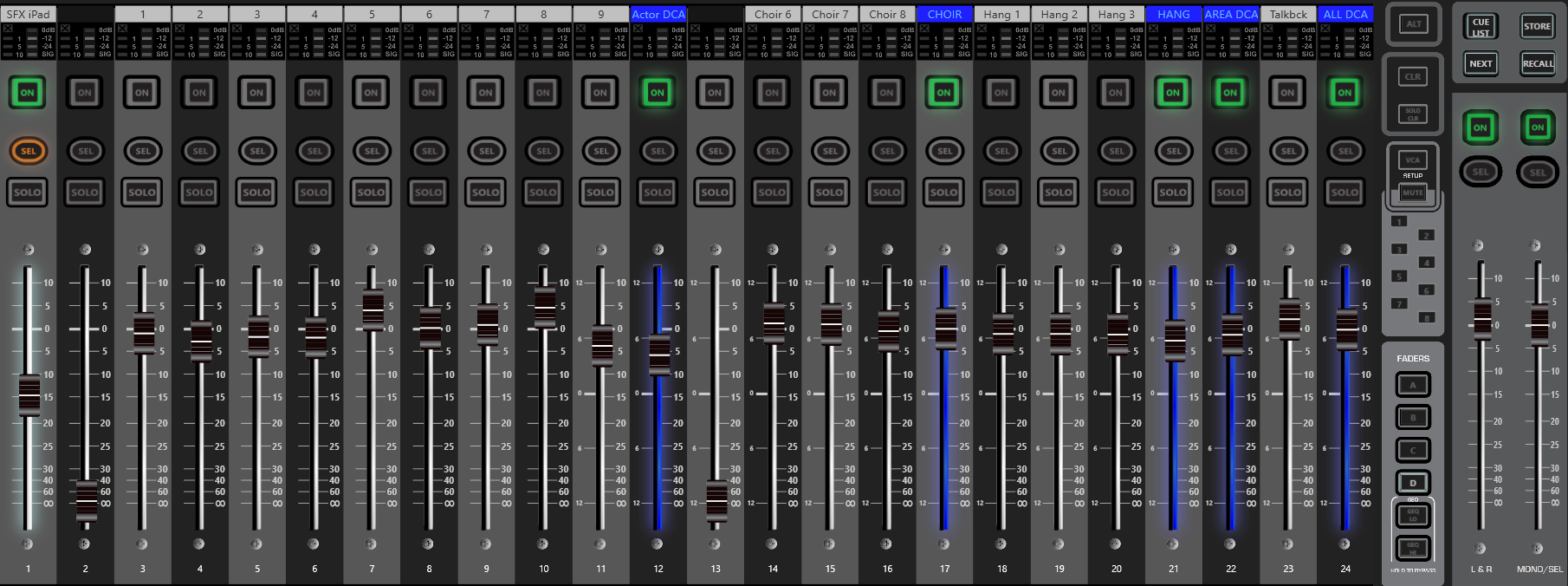
To make mixing easier, I used the soundboard's layout editor and VCAs (top), and created a cue sheet including when mics should be on and off (bottom), which I inputted into the soundboard's cue list (see above)
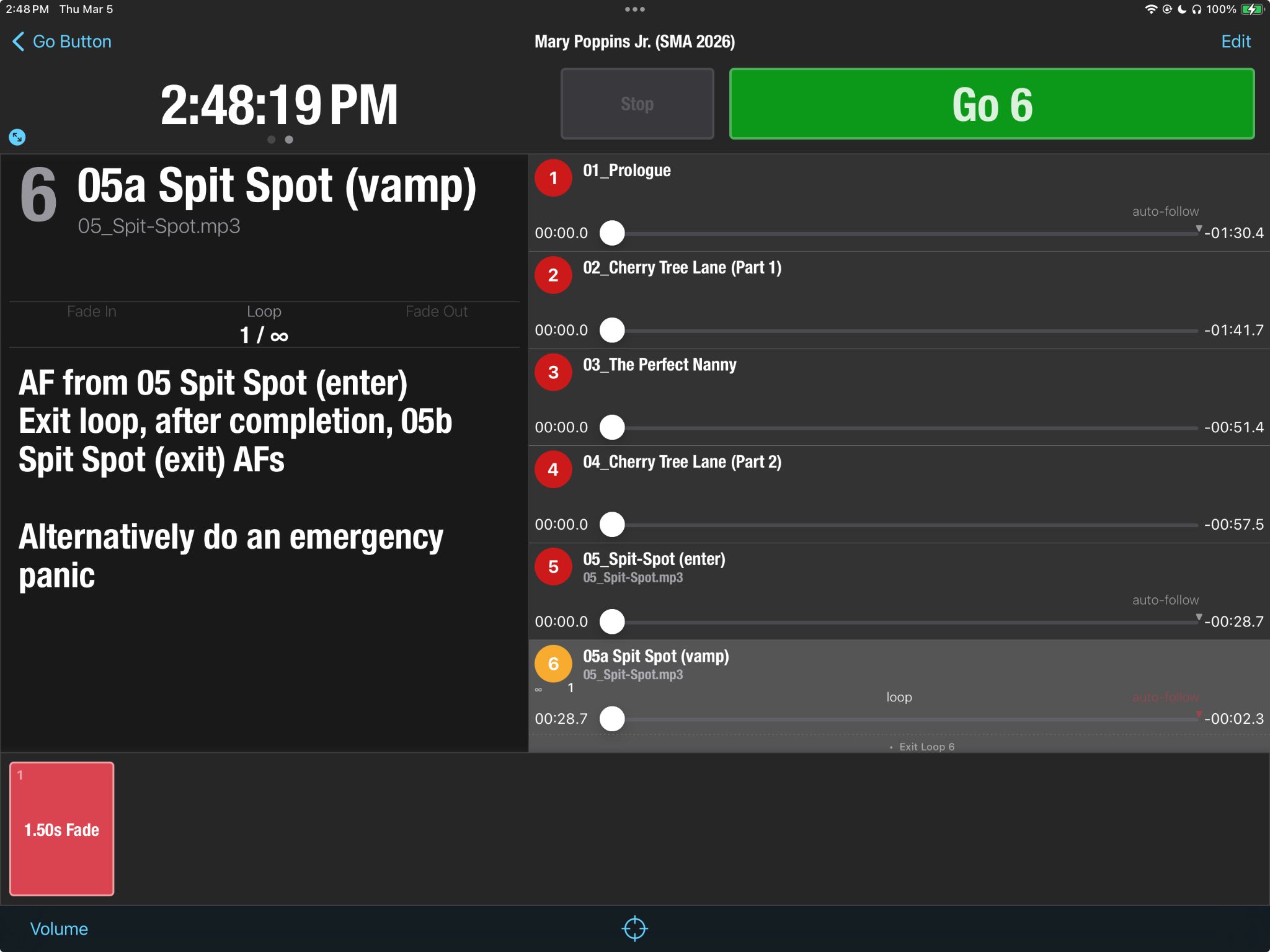
This show did not have a live orchestra. Instead, backing tracks were played from an iPad. I cued these in Go Button, which allow for certan music, such as that for scene changes, to be vamped.
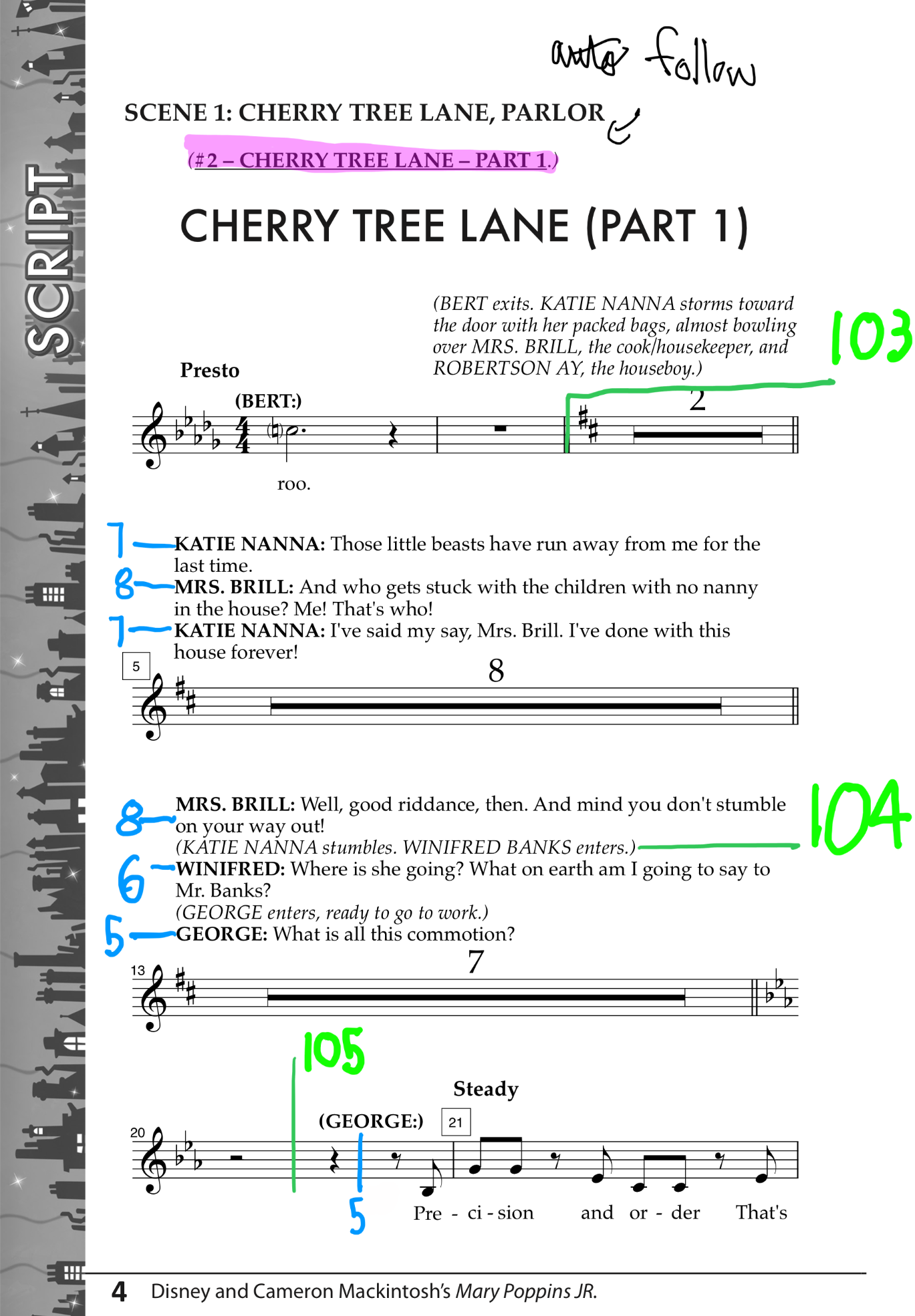
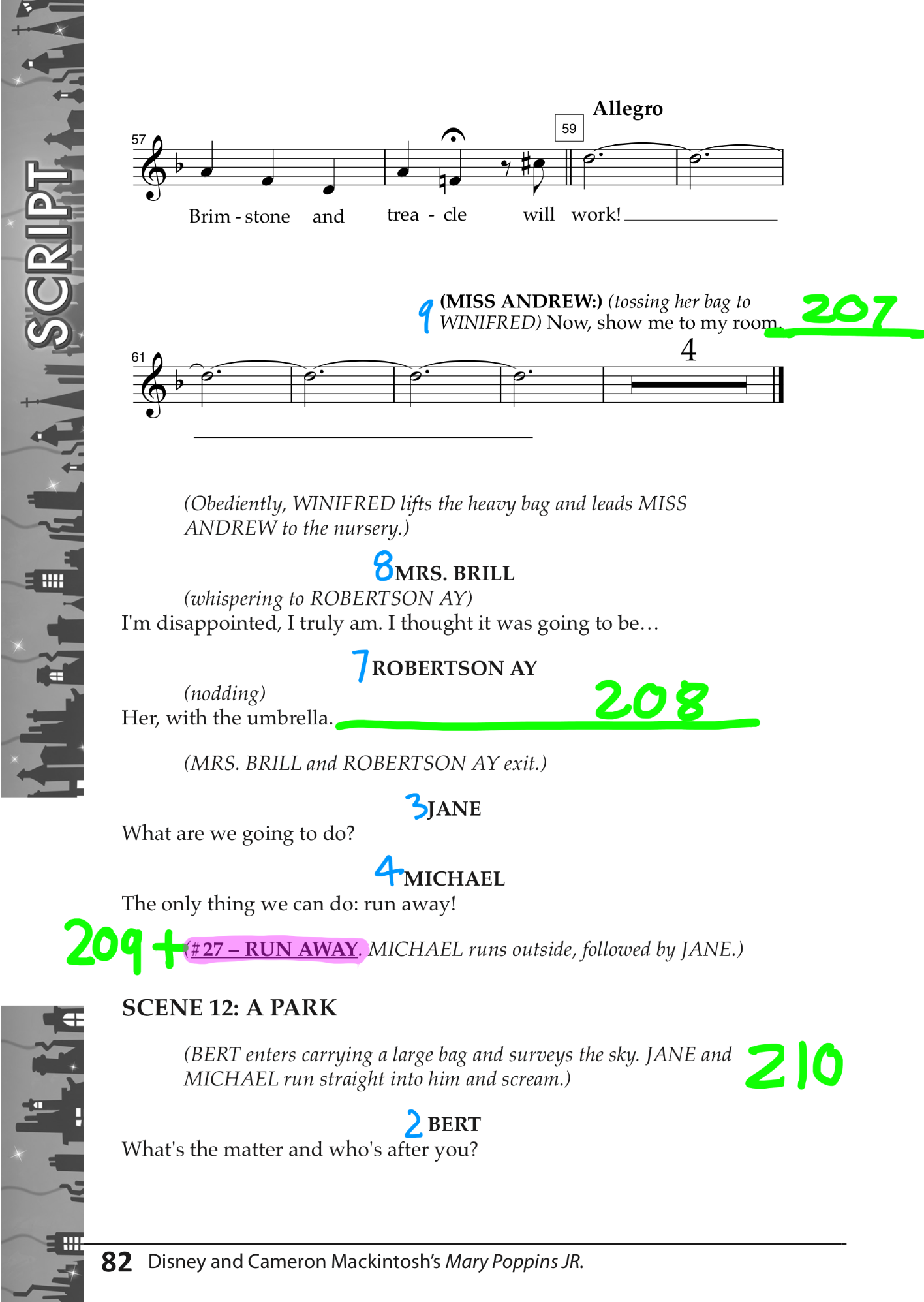
I compiled and color coded all cues and other information into one script, so that the assistant sound designer could call cues.
For more previews of content shown here, or for downloads of any resources shown, please Contact Dave.
© D. Kolenda
Except where otherwise noted, content on this website is licensed under CC BY-SA 4.0. To view a copy of this license, visit https://creativecommons.org/licenses/by-sa/4.0/
No generative AI was used when creating this website